Back![]()
Project background
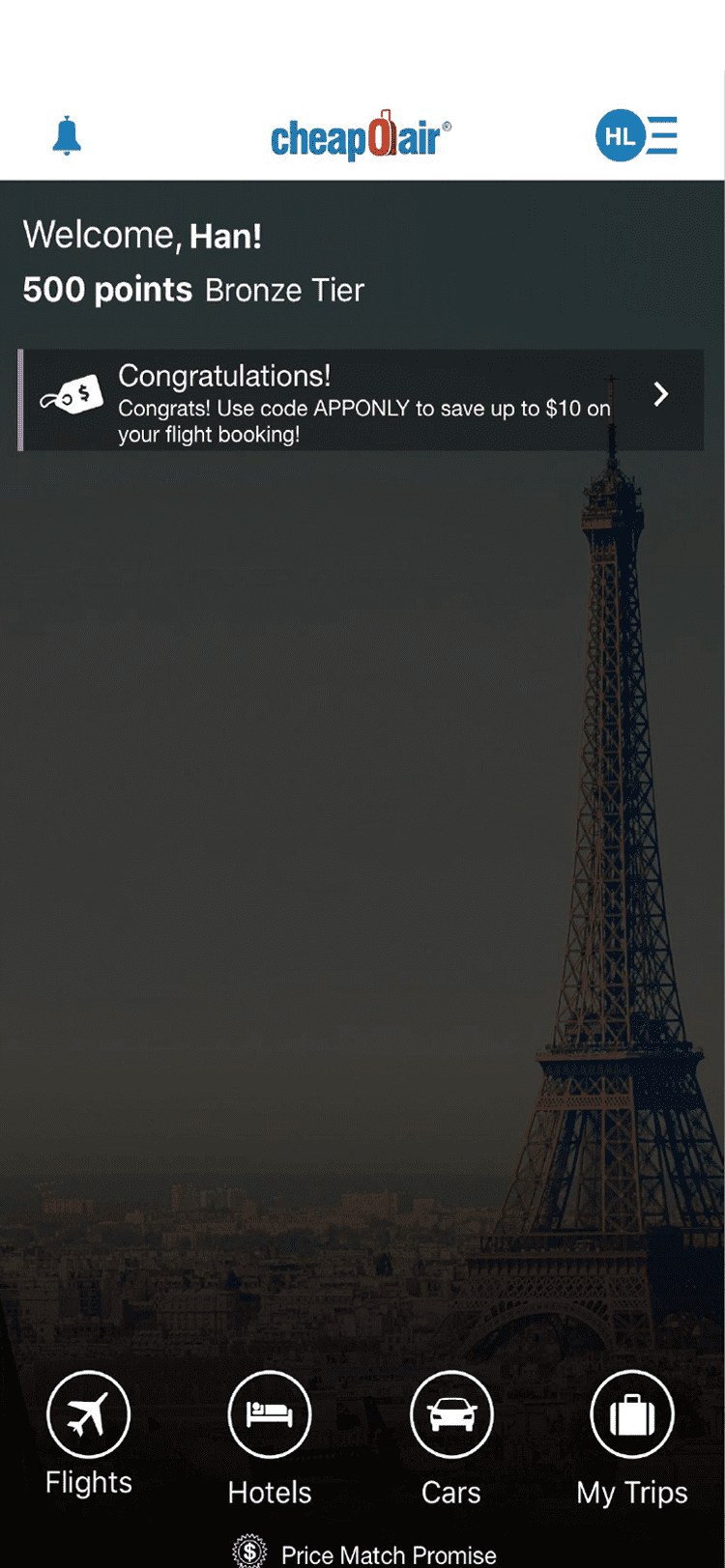
Fig.1: Landing screen
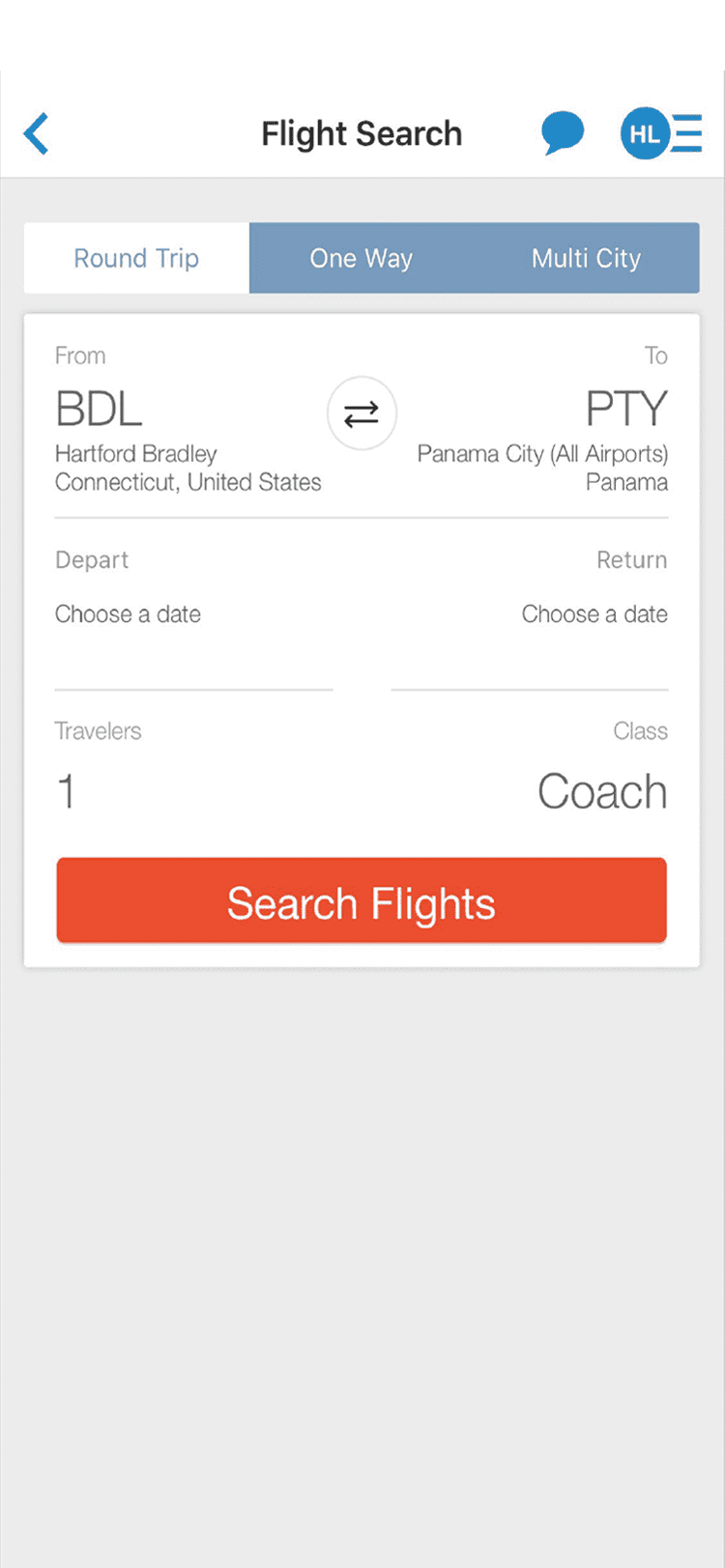
Fig.2: Search screen
Key Stage #1
How important the search is?
Key Stage #2
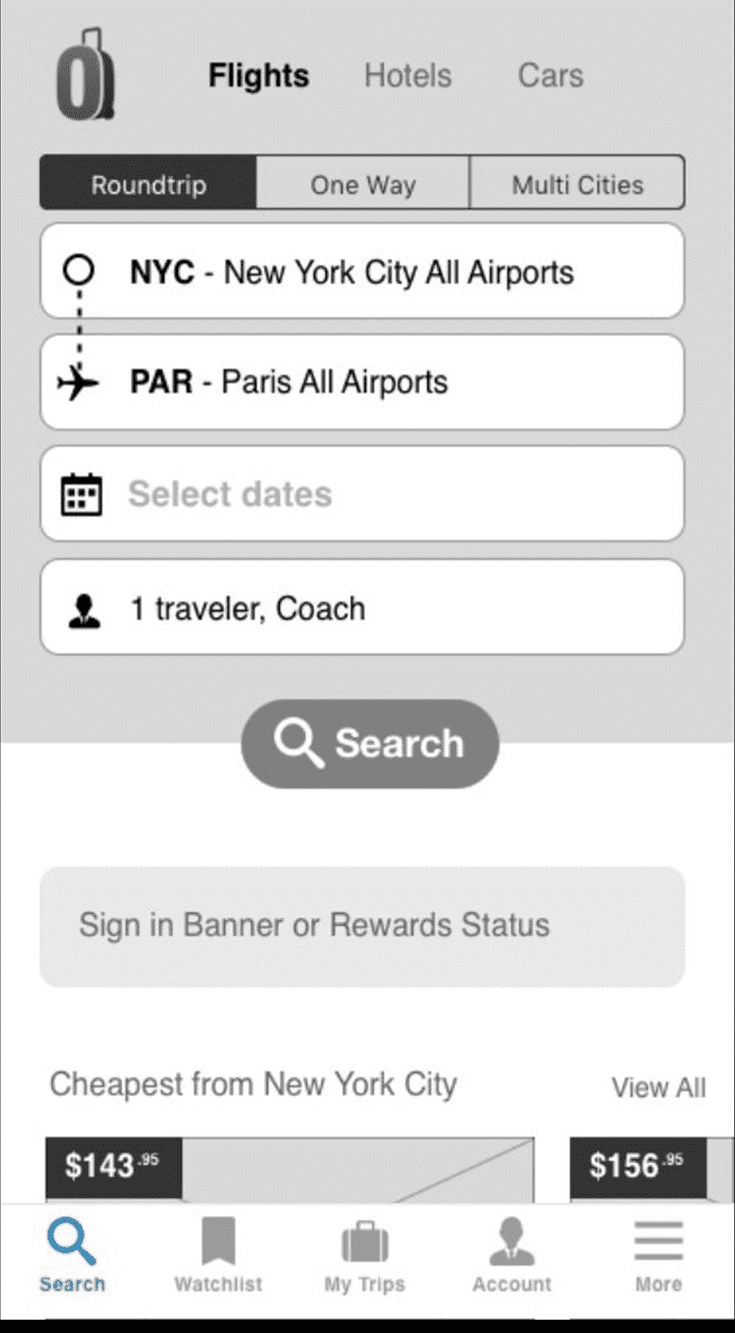
Fig.3: Option A
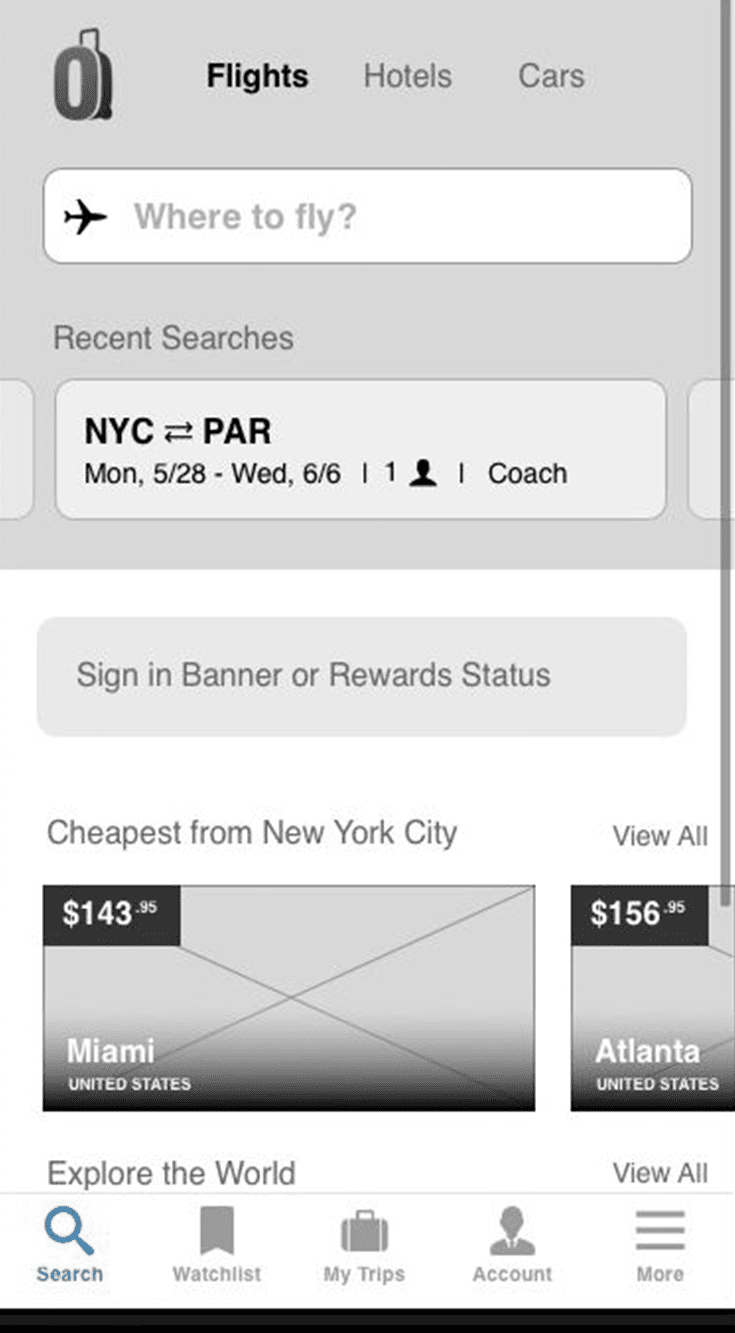
Fig.4: Option B
Key Stage #3
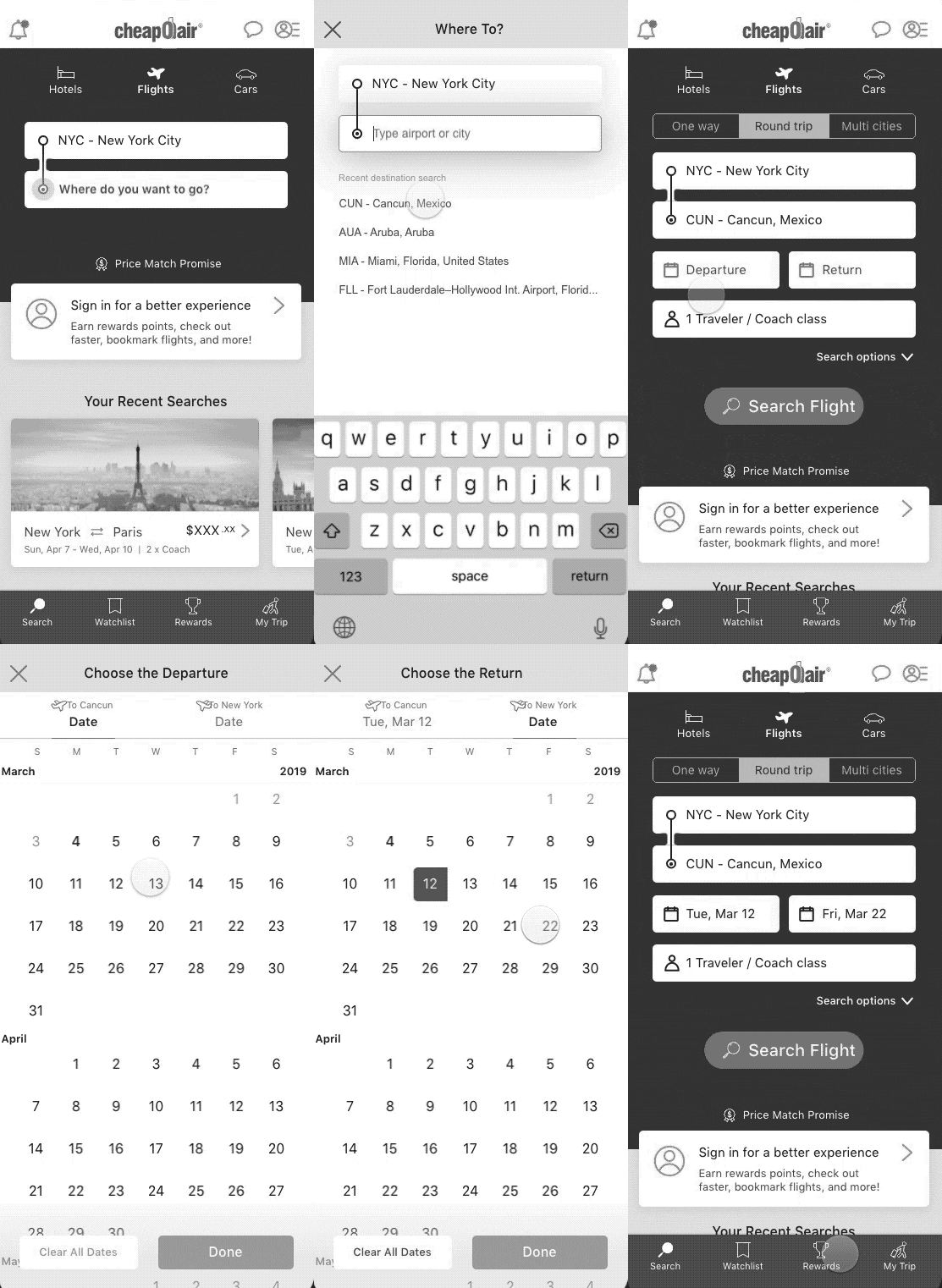
Fig.7: Option C search view
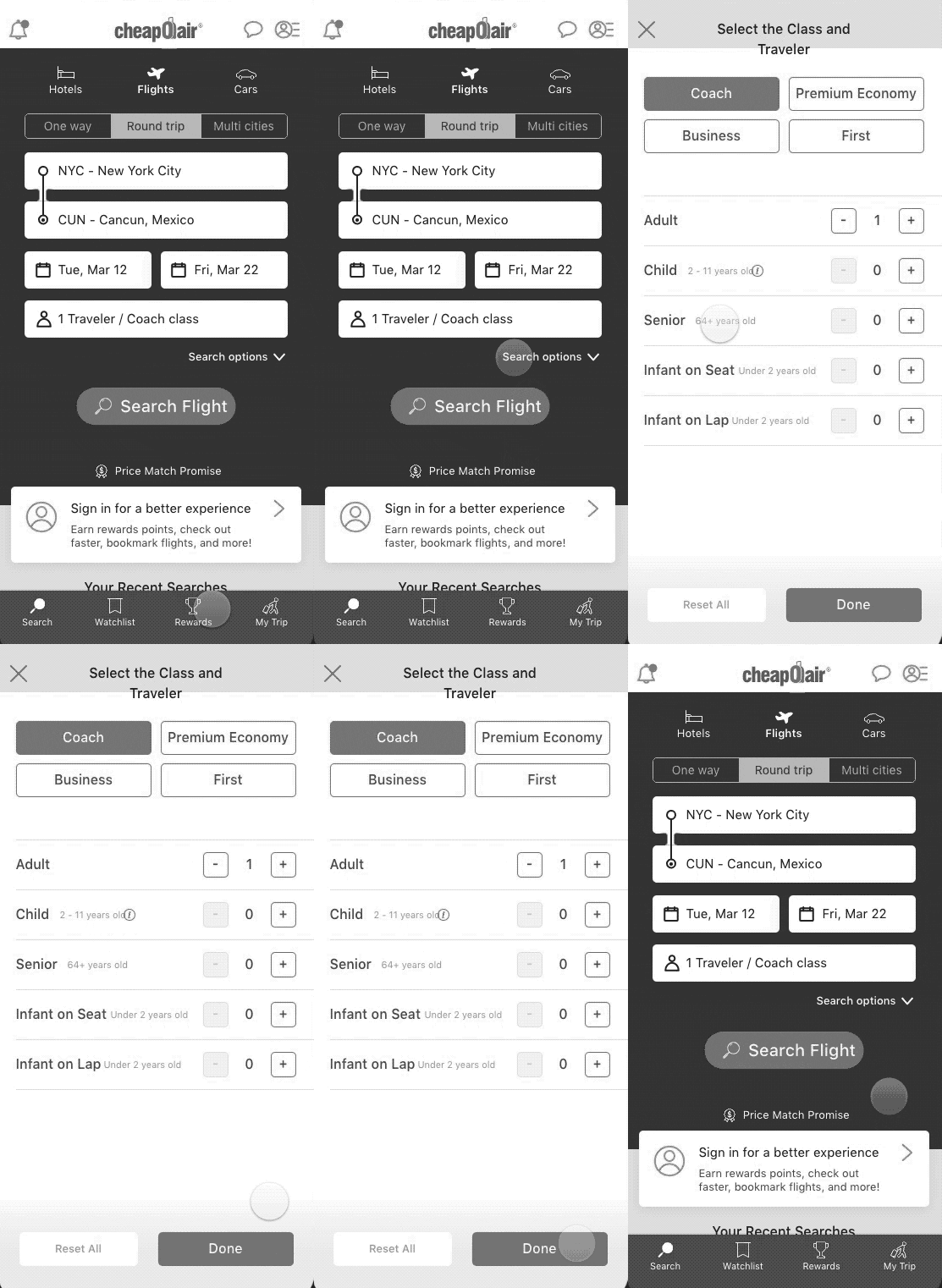
Fig.6: Option C initial view
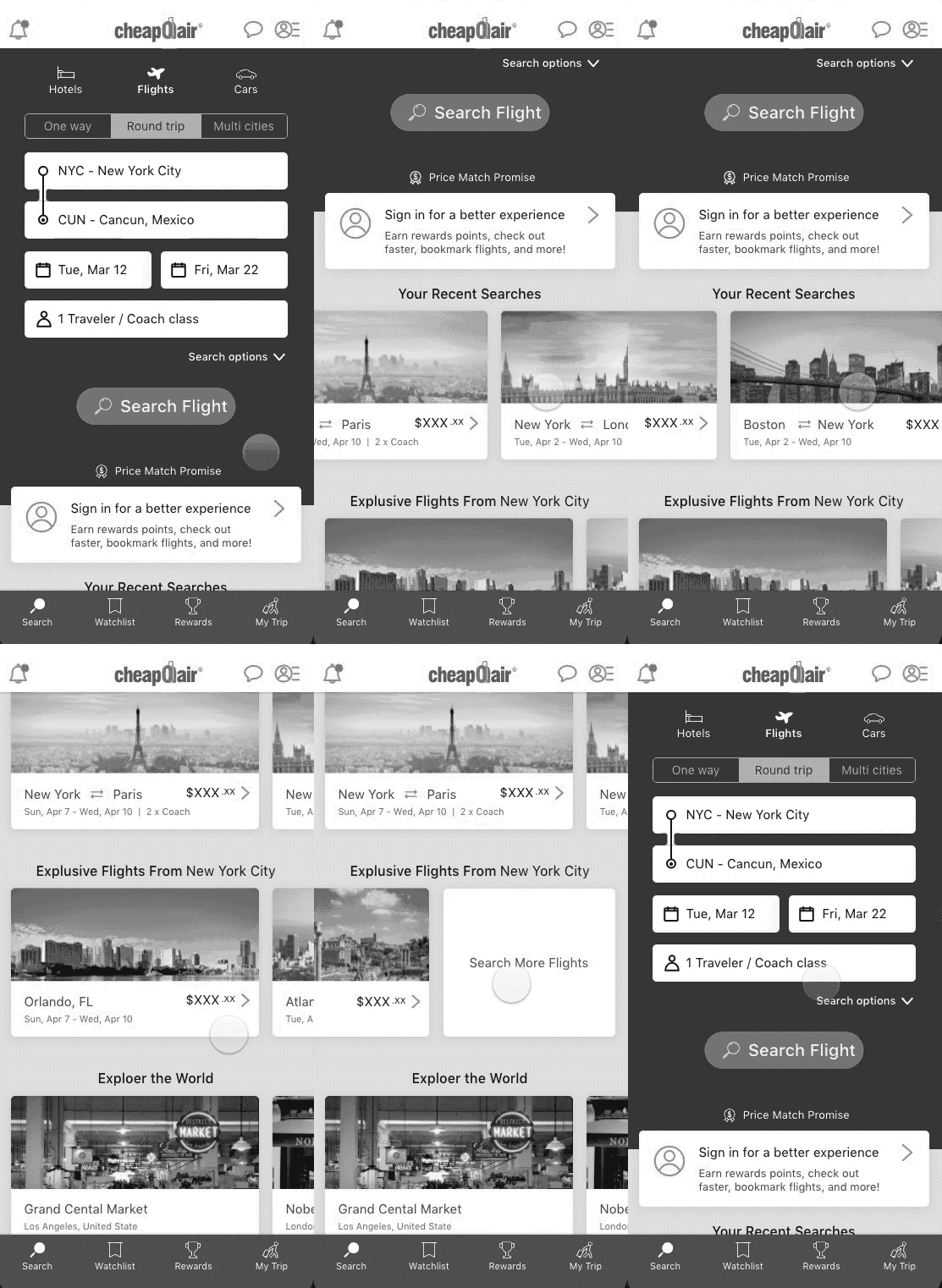
Fig.6: Option C initial view
Key Stage #4
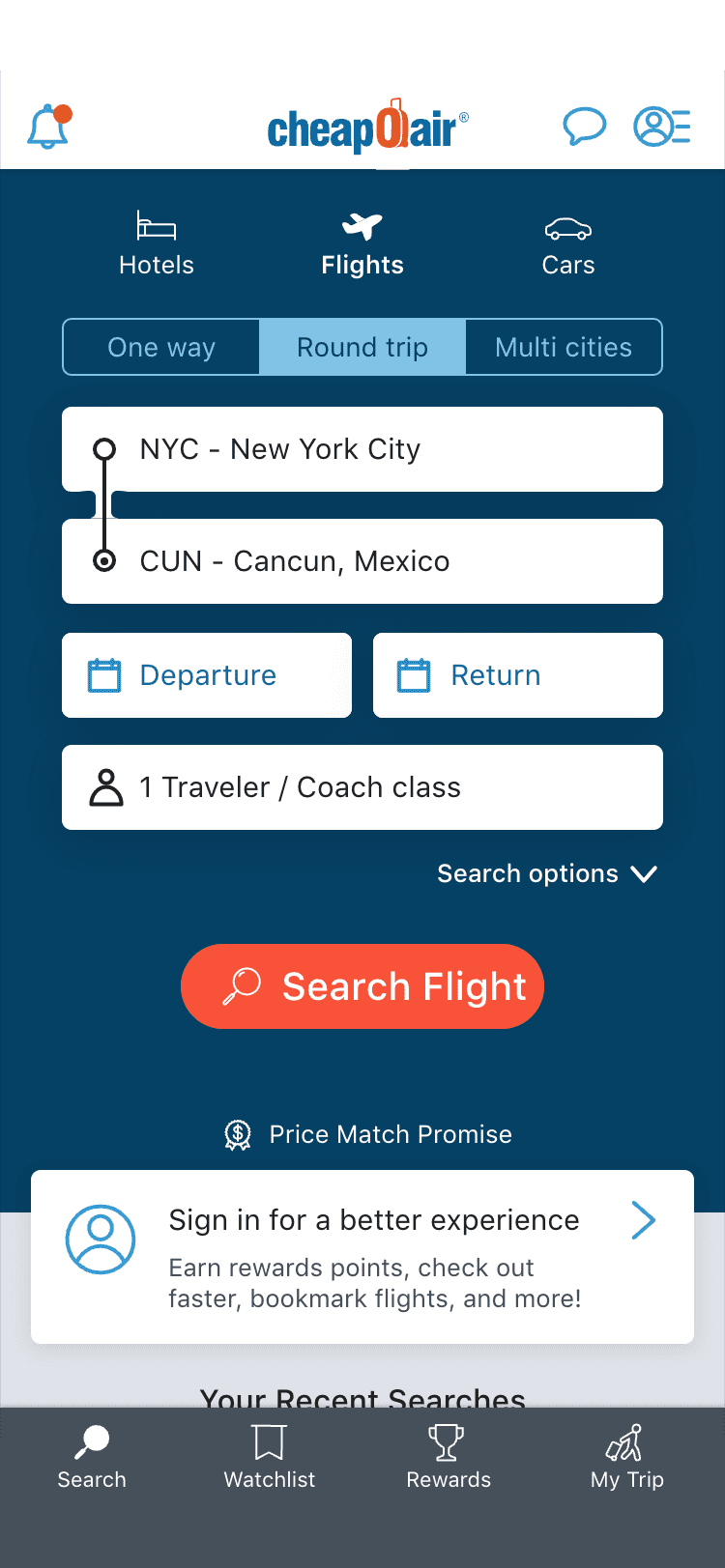
Fig.7: Search view
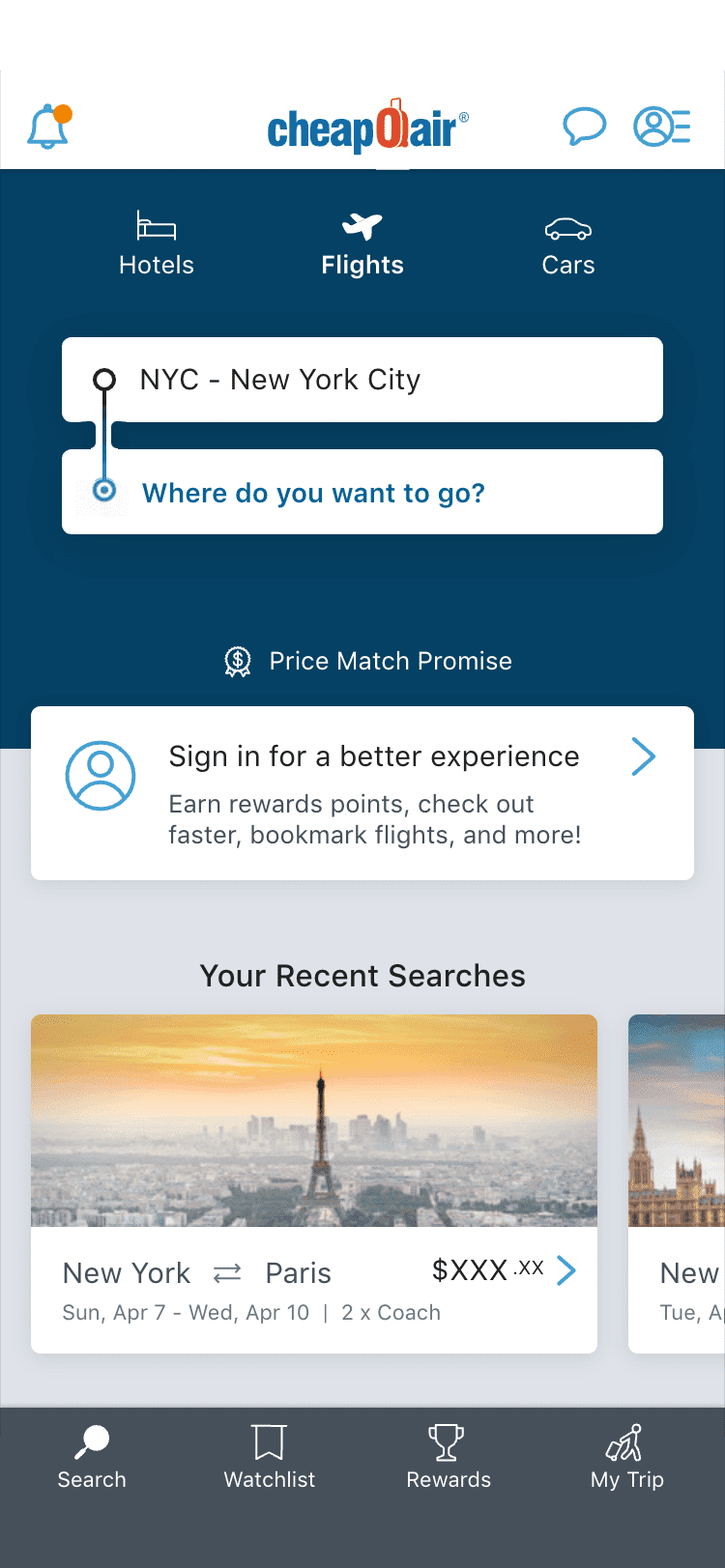
Fig.6: Initial view
Learnings
Flight search redesign
Making flight search easier to understand without losing the rest of the home experience.
- 4.8% ⬇️ Bounce Rate
- 2.6% ⬆️ Flight Search Rate
- 3.1% ⬆️ Initial Funnel


The challenge
- Product issue
- High bounce rate from landing screen (Fig.1)
- User Test Finding
-
"I don't see what I can do here..." (Search)
- Product goal
-
- Increase flight search rate
- Reduce bounce rate
- Design challenge
- How might we make it easy to tell and discover a future story without writing an entire article?
Reframing the problem
Search needed to be obvious, but there're other things needed to be on the page. ↳ How much of the screen should search occupy?
- Flight search (primary action by chance)
- Help majority of users see where to start right away.
- Everything else (secondary by choice)
- Leave enough space for post-booking and marketing content.
Exploring the trade-off
- Option A — Full search
-
- Give users the complete search interface immediately
- Trade-off: Secondary content was pushed below the fold, reducing its visibility
- Open wireframe
- Option B — Minimal search
-
- Reduce search to a smaller entry point to preserve more space
- Trade-off: The reduced UI was less recognizable as a travel search experience
- Open wireframe
Converting the trade-off
Turning it into an interactive crossroads: expanding as the user needed more information
- Option C - Expandable search
-
- Initial state: communicates the concept of travel search
- Engaged state: user's action will define path (Typing VS. Scrolling)
Final design
- Visual design
-
- Color distinguishes IA and status of interaction
- Animation emphasizes visual cue
- Interaction sequence
-
- Initial view
- Searching: user enters location > search section enpanded
- Exploring: user interact other components > moves toward to each path
"Design around the user's level of intent."
This project reinforced something I continue to use in my product design work: An interface doesn't always need to show everything at once.
When users are still deciding what to do, clarity can come from showing less. As their intent becomes clearer, the interface can reveal more context and detail.